
Best Apps for Food Photography: Boost Your Restaurant Orders
Discover the best apps for food photography and learn a workflow for delivery-ready images. A complete guide for restaurant owners to boost orders.

In this guide
- Table of Contents
- Your Food Is Delicious But Your Photos Are Losing Sales
- What customers notice first
- The Three Categories of Food Photography Apps
- Manual digital darkrooms
- One-tap filter apps
- AI-powered studios
- App categories at a glance
- Essential App Features for Driving Restaurant Revenue
- Consistency beats creativity for menus
- Features that save real operating time
- The Traditional Multi-App Workflow and Its Hidden Costs
- What the professional workflow actually looks like
- Where the time disappears
- Why good teams still struggle with it
- Quick Wins for Capturing Better Photos with Your Phone
- Fix the light before you touch an app
- Use angles that match the dish
- Clean up the frame before editing
- Small habits that pay off
- The BeauPlat Workflow A 30-Second Path to Conversion
- Why the faster workflow changes the decision
- What a purpose-built restaurant workflow needs to do
- Stop Editing Photos and Start Increasing Orders
You’ve probably done this already. A dish comes out looking great in service, you grab your phone, take a quick shot near the pass, upload it to Uber Eats or Deliveroo, and then stare at the result wondering why the food suddenly looks flat, greasy, or oddly gray.
That gap matters more than most operators expect. Online, the photo often does the selling before your menu copy gets a chance. Customers can’t smell the pizza crust, hear the crunch, or see the steam in person. They judge the dish through a thumbnail.
That’s why apps for food photography matter. Not because restaurant owners want to become editors, but because they need a practical way to turn real dishes into images that hold up on delivery apps, websites, and social posts. Demand for this kind of mobile image improvement is already mainstream. Snapdish AI Food Camera has been downloaded by over 2 million people and built a database of more than 20 million dishes, which tells you customers and businesses alike now expect food photos to look polished.
If your current process is “take photo, add filter, hope for the best,” you’re leaving too much to chance. If you need a better starting point before editing, this guide on how to take better food photos is worth keeping open in another tab while you review your workflow.
Table of Contents
- Your Food Is Delicious But Your Photos Are Losing Sales
- The Three Categories of Food Photography Apps
- Essential App Features for Driving Restaurant Revenue
- The Traditional Multi-App Workflow and Its Hidden Costs
- Quick Wins for Capturing Better Photos with Your Phone
- The BeauPlat Workflow A 30-Second Path to Conversion
- Stop Editing Photos and Start Increasing Orders
Your Food Is Delicious But Your Photos Are Losing Sales
A lot of restaurant photo problems start with a rushed moment, not a lack of effort. The burger is hot, the fries are fresh, the kitchen is busy, and someone on the team leans in with an iPhone under mixed lighting. The photo isn’t terrible. It’s just not convincing.
That’s the problem. On a delivery platform, “not terrible” usually means easy to skip. Customers compare your dish against a screen full of alternatives, and they make fast judgments about freshness, portion value, and quality based on the image alone.
I’ve seen operators spend serious time refining recipes while treating photography like an afterthought. Then they wonder why the signature pasta sells in-house but underperforms online. Often the issue isn’t the dish. It’s the photo doing a poor job of translating texture, warmth, and color.
What customers notice first
People rarely analyze a menu photo the way an owner does. They react to a few visual cues:
- Color: Does the dish look warm, fresh, and edible, or cold and washed out?
- Clarity: Can they tell what they’re ordering in a small thumbnail?
- Consistency: Do all the menu photos feel like they belong to the same restaurant?
- Trust: Does the image look like the actual product, or like an overedited stock substitute?
Bad food photos don’t just undersell a dish. They make the whole menu feel less reliable.
The bar is higher now because polished food imagery is normal. Customers scroll past strong visuals all day on social platforms, review sites, and delivery apps. They don’t think, “This owner probably didn’t have time.” They think, “That food doesn’t look great.”
The Three Categories of Food Photography Apps
Most apps for food photography fall into three groups. Once you see the categories clearly, choosing a tool gets easier because you stop comparing everything as if it serves the same job.

Manual digital darkrooms
This is the Lightroom Mobile and Snapseed camp. These tools give you control over exposure, white balance, selective edits, healing, masking, and color work. If you know what you’re doing, they can produce excellent results.
They also ask a lot from the operator. Someone has to understand why the plate looks too cool, how much structure makes a crust pop without looking harsh, and how to keep edits consistent from one dish to the next. That’s workable for a photographer or a marketing lead. It’s harder for a shift manager updating six menu photos between lunch and dinner.
One-tap filter apps
Apps like Foodie, VSCO, or Instagram-style editors sit in the quick-fix middle. They’re fast, easy, and useful when the goal is a casual post, a story, or a same-day promo.
Their weakness for restaurants is consistency. A filter that flatters one ramen bowl can make a salad look strange and a dessert look muddy. If different staff members use different filters, the menu starts looking stitched together from unrelated shoots.
AI-powered studios
This category is built around speed and automation. Instead of handing you sliders, these tools handle enhancement for you and aim to deliver a finished image with less manual effort. In a 2026 benchmark, FoodShot AI is described as turning phone photos into professional visuals in 90 seconds, with plans ranging from $15 to $99 per month.
That changes the decision for restaurants. The true comparison isn’t “Which app has more features?” It’s “Which workflow gets usable, consistent menu images without eating staff time?”
App categories at a glance
| App Category | Best For | Key Weakness for Restaurants | Example |
|---|---|---|---|
| Manual digital darkrooms | Teams that want deep control | Slow to learn and hard to standardize across staff | Adobe Lightroom, Snapseed |
| One-tap filter apps | Fast social posts and casual content | Filters can create an inconsistent menu look | Foodie, VSCO |
| Purpose-built solutions | Restaurants that need speed and repeatability | Less hands-on creative control than manual editing | BeauPlat |
Practical rule: If the same person won’t be editing every image, choose a workflow that reduces judgment calls.
Essential App Features for Driving Restaurant Revenue
Restaurants don’t need more editing tools. They need fewer weak points in the process. When you evaluate apps for food photography, ignore the flashy filters first and look at the features that affect consistency, speed, and output quality.
Consistency beats creativity for menus
A restaurant menu isn’t a personal Instagram feed. The job is not to make every image unique. The job is to make the entire set feel trustworthy and coherent.
That starts with preset consistency. If one taco photo is warm and punchy, another is blue and dim, and a third looks heavily sharpened, customers feel the mismatch even if they can’t explain it. The menu looks unmanaged.
Platform-specific optimization matters too. A great image on your website can collapse into a weak thumbnail on a delivery app if contrast is too low or the crop is too wide. Before picking a tool, check whether your images will still read clearly in the small formats used across listings and profiles. This practical guide to Google Business Profile photo sizing is useful because it forces you to think in platform terms rather than full-screen terms.
Features that save real operating time
Some features matter because they reduce rework.
- Batch processing: Best for chains, seasonal rollouts, and menu refreshes where many images need the same treatment.
- Non-destructive editing: Lets you revisit an image later without damaging the original file.
- Selective adjustment tools: Helpful when one part of the dish needs correction but the rest of the frame is fine.
- Commercial use rights: Important if the final image will appear on delivery platforms, ads, menus, or printed materials.
A practical way to judge any app is to ask three questions:
- Can a non-designer use it well after a short handoff?
- Can the team reproduce the same look next month?
- Can the final image move directly into service across menu, social, and delivery channels?
If the answer to any of those is no, the tool may still be good. It just isn’t operationally good for a restaurant.
The best restaurant photo app isn’t the one with the most control. It’s the one your team will actually use the same way every time.
The Traditional Multi-App Workflow and Its Hidden Costs
The classic “pro” approach usually means combining capture, mobile editing, and desktop finishing. It works. It’s also where many teams lose hours without realizing it.

What the professional workflow actually looks like
A common workflow starts on the phone. Someone shoots the dish with the native camera or a capture app, trying to get decent light and a usable angle.
Then the image goes into a mobile editor such as Snapseed for local fixes. That might mean lifting shadows on the protein, reducing glare on the plate, or using healing to remove a crumb or drip. After that, the image often moves to Lightroom Mobile or desktop Lightroom for broader adjustments and, if the restaurant has many images, preset-based standardization.
That last part matters. Lightroom’s batch workflow is valuable for restaurants because visually cohesive menus can increase order frequency by 15 to 25 percent compared with mismatched photos. For a multi-location brand, consistency isn’t cosmetic. It affects revenue.
Where the time disappears
The hidden cost isn’t any single step. It’s the accumulation.
- Capture friction: The first photo often needs multiple takes because reflections, steam, or clutter get missed.
- App switching: Files move between tools, devices, and team members.
- Decision fatigue: Every image invites new calls on warmth, exposure, crop, and texture.
- Quality control: Someone has to review whether the final image still looks like the actual dish.
- Team variability: A workflow that works for one skilled editor often breaks when handed to store staff.
Here’s what I see most often with clients. They don’t fail because the tools are bad. They fail because the workflow depends on too much attention from people whose main job isn’t photography.
Why good teams still struggle with it
The traditional workflow rewards patience and skill. Restaurants usually operate on speed and repetition. Those values collide.
A marketing manager may build a good Lightroom preset library, but the local team still has to capture usable source images, send them correctly, and avoid drifting from the standard. A chef may plate beautifully, but if the editor crops too tight or cools the image too much, the final result still underperforms.
Strong photography workflows break when they depend on perfect execution during a lunch rush.
There’s also a maintenance problem. Once your menu changes, you have to repeat the system. Seasonal specials, LTOs, delivery-only bundles, and new hero shots all create another round of editing requests. That’s why operators who start with a manual stack often end up asking a better question later: not “How do we edit this image?” but “How do we stop spending so much time editing images?”
Quick Wins for Capturing Better Photos with Your Phone
Before you worry about apps, fix the capture. Editing can improve a decent image. It usually can’t rescue a badly lit one.

Fix the light before you touch an app
The best phone photos usually come from soft side light. Put the dish near a window or just inside a doorway with indirect natural light, and turn the plate until the texture looks alive. Fried food needs shape. Sauces need a little shine. Greens need separation.
Avoid overhead indoor bulbs if you can. They flatten the food and often add an unpleasant color cast. If you need more help dialing this in, this guide on the best lighting for food photography gives practical setups that work without a studio.
Use angles that match the dish
There isn’t one perfect angle for every plate.
- Top-down: Best for pizzas, spreads, salads, and dishes with strong graphic layout.
- Forty-five degrees: Best for burgers, pasta bowls, pancakes, and plated mains with height.
- Straight-on: Useful for layered desserts, stacked sandwiches, and drinks.
Don’t choose an angle because it feels stylish. Choose the angle that shows the product clearly and makes the portion read well.
Clean up the frame before editing
Most weak restaurant photos have the same avoidable distractions. Smears on the rim, random sauce dots, receipt paper in the background, or a fork entering the edge of frame. None of that improves in post.
Use this quick pre-shot check:
- Plate edges: Wipe them.
- Background: Remove anything that doesn’t support the dish.
- Garnish: Make sure it looks intentional, not accidental.
- Spacing: Leave enough room around the food for cropping later.
- Highlights: Watch for harsh glare on glossy items.
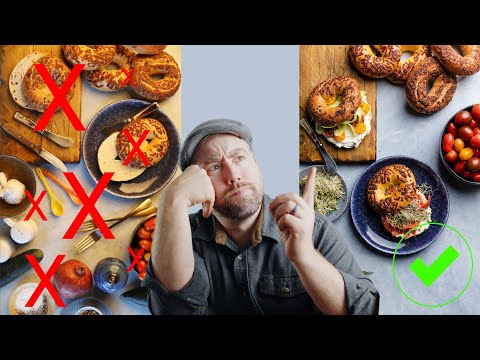
A short visual demo helps here:
 Watch on YouTube
Small habits that pay off
Phone photography improves fast when the team repeats a few simple habits. Keep one reliable shooting spot. Use the same plate orientation for similar dishes. Take two or three versions instead of one rushed frame.
Those habits matter because they reduce how much fixing your apps have to do later. Better inputs shorten the whole workflow.
The BeauPlat Workflow A 30-Second Path to Conversion
Most restaurant teams don’t need another editing stack. They need a faster path from “dish is ready” to “image is live.”

Why the faster workflow changes the decision
The traditional mobile-to-desktop process can be justified when a brand wants total manual control. But time is a cost, and it adds up quickly across a menu. According to Platephoto’s summary of the professional workflow, the full mobile-to-desktop pipeline can take 5 to 15 minutes per image, while newer AI tools aim to achieve that result in under a minute; the same source notes that thumbnails with high contrast and warm color temperature can achieve 23 percent higher engagement on delivery apps.
That’s the fundamental shift in apps for food photography. The question isn’t whether manual editing can work. It can. The question is whether the result is worth the staff time compared with a purpose-built workflow.
What a purpose-built restaurant workflow needs to do
A restaurant-first workflow should handle the tasks that usually slow teams down:
- Correct the basics automatically: exposure, sharpness, crop, and angle
- Preserve authenticity: the dish should still look like what the kitchen serves
- Support brand atmosphere: lighting and ambiance should feel aligned with the venue
- Produce usable files quickly: no waiting on a full editing chain
- Fit commercial use: the output has to be ready for menus, websites, and delivery listings
That’s where BeauPlat is different from a generic editor. It’s built as an AI photo studio for restaurants, not as a consumer photo app with food filters added on top. The workflow is simple: snap or upload a real dish photo, choose a style or reference the venue ambiance, and get a polished version that improves sharpness, angle, exposure, and overall presentation while keeping the plating recognizable.
Restaurants don’t benefit from editing complexity. They benefit from images that go live quickly and still look like the food customers will receive.
This is also why the commercial model matters. A pay-as-you-go workflow fits restaurants that need flexibility. Not every operator wants another monthly tool sitting on the P&L. For teams updating seasonal dishes, testing new items, or cleaning up a delivery menu, an on-demand studio model is easier to justify than a slow multi-app process or a booked photographer.
Stop Editing Photos and Start Increasing Orders
The wrong way to choose apps for food photography is to ask which one has the longest feature list. The right way is to ask which workflow gets your menu images finished, consistent, and live without draining staff time.
Manual tools like Lightroom and Snapseed still have a place. They’re strong when you want control and have someone skilled enough to use them well. Filter apps are fine for casual social content. But restaurants usually need something narrower and more practical: speed, consistency, authenticity, and output that holds up in a thumbnail.
That’s the part many operators miss. Food photography isn’t an art project inside a restaurant. It’s a sales function. If your current process is slow, inconsistent, or dependent on one talented person, it’s costing more than it seems.
Carefully audit your workflow. Count the steps. Count the handoffs. Count how often menu images get postponed because nobody has time to “fix them later.” Then choose the system that gets strong visuals into market fastest.
If your team is tired of juggling edits, presets, and app switching, BeauPlat gives you a restaurant-specific alternative. It turns ordinary dish photos into high-definition, platform-ready visuals in under 30 seconds, with pay-as-you-go credits, commercial rights, and no subscription required.
Take action
More desirable visuals, without repeat photo shoots
BeauPlat helps restaurants keep a visually consistent menu, publish faster, and convert better on delivery platforms and their own site.
More in this category

10 Best Apps for Restaurant Owners in 2026
Discover the best apps for restaurant owners in 2026. A deep dive into POS, labor, inventory, marketing, and photo tools to boost profit and efficiency.
 Jean de BeauPlatMay 17
10 Best Marketing Strategies for Restaurants in 2026
Discover the 10 best marketing strategies for restaurants in 2026. Boost orders with high-quality photography, local SEO, social media, and more.
Jean de BeauPlatMay 16
AI Food Image Generator: A Restaurant Guide for 2026
Learn how an AI food image generator can boost your restaurant's sales. This guide covers use cases, best practices, ROI, and legal risks for food businesses.
Jean de BeauPlatMay 15
10 Low Cost Marketing Ideas for Restaurants in 2026
Boost sales with these 10 low cost marketing ideas for restaurants. Get actionable tips on social media, local SEO, and partnerships to grow your business.
Jean de BeauPlatMay 14
Best Food Delivery App for Restaurants: 2026 Guide
Discover the best food delivery app for restaurants in 2026. Compare top platforms to boost your orders, manage logistics, and increase your profit margins.
Jean de BeauPlatMay 13
8 Restaurant Food Photography Tips to Boost Sales
Master your menu visuals with our top restaurant food photography tips. Learn lighting, styling, and platform optimization to boost delivery app sales.
Jean de BeauPlatMay 12